
The Employee view of the Browse Needs page is limited to the date, skill, shift code, shift start/end times, comments, and the Schedule Me link. Employees cannot view the number of needs or if others are available for the shift.
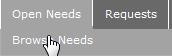
1) Click Open Needs>Browse Needs to open the Browse Needs page.
The Browse Needs page opens.
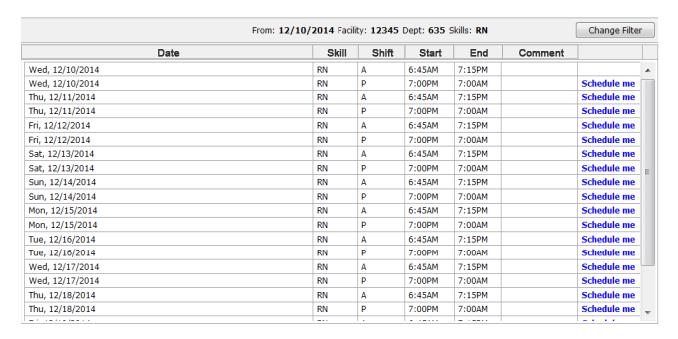
Browse Needs Page
|
Date |
The day and date of the need. |
|
Skill |
The Skill Level required, such as RN, LPN, CNA. |
|
Shift |
The Shift code. |
|
Start/End |
The Shift times. |
|
Comment |
Any user-entered comments. |
|
Schedule me |
The link that appears only if the required Skill matches the Skill of the employee. |